Just design.
The model builds itself.
Draw rooms and volumes — walls, slabs and roofs generate themselves. A real model, without the heavy overhead.
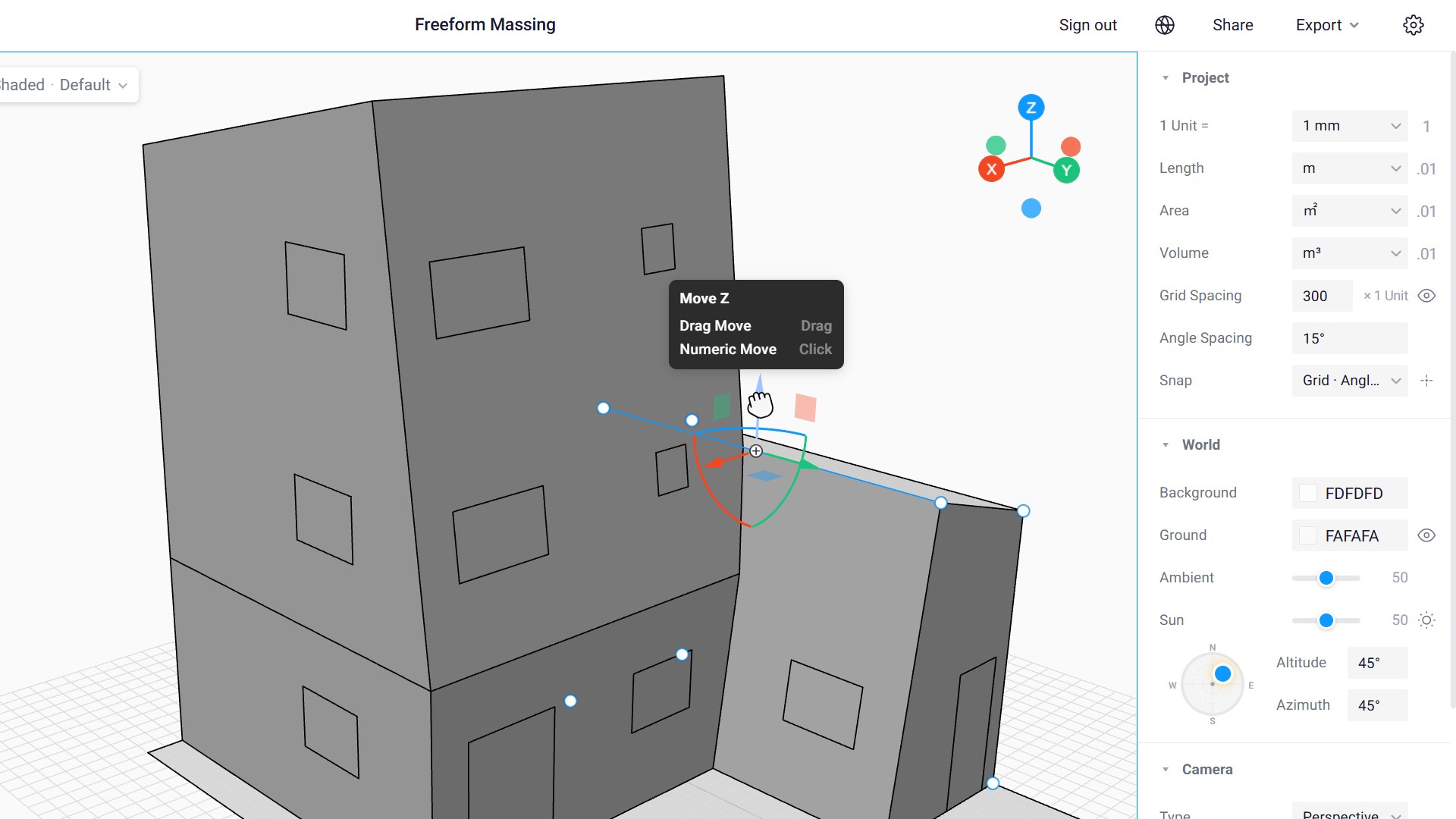
Push, pull, draw —
anywhere on the model.
Make a box, grab a ridge, sketch a rectangle straight onto a wall. It stays loose like a sketch — and stays a real building underneath.
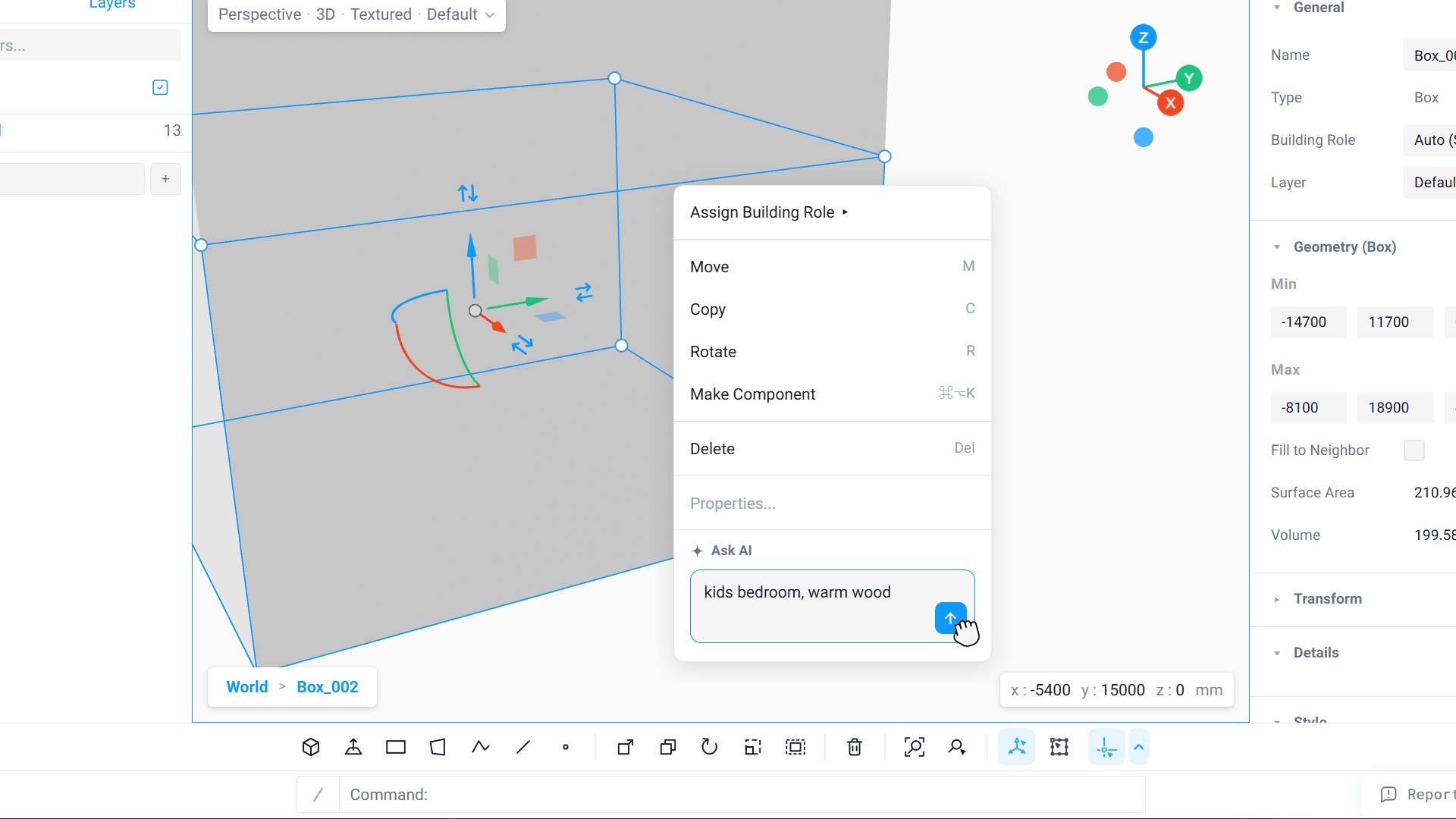
Tell the room what it is.
It furnishes itself.
Type "kids bedroom, warm wood" — materials, furniture and openings place themselves. Then move anything: it's a model you keep editing, not a render.
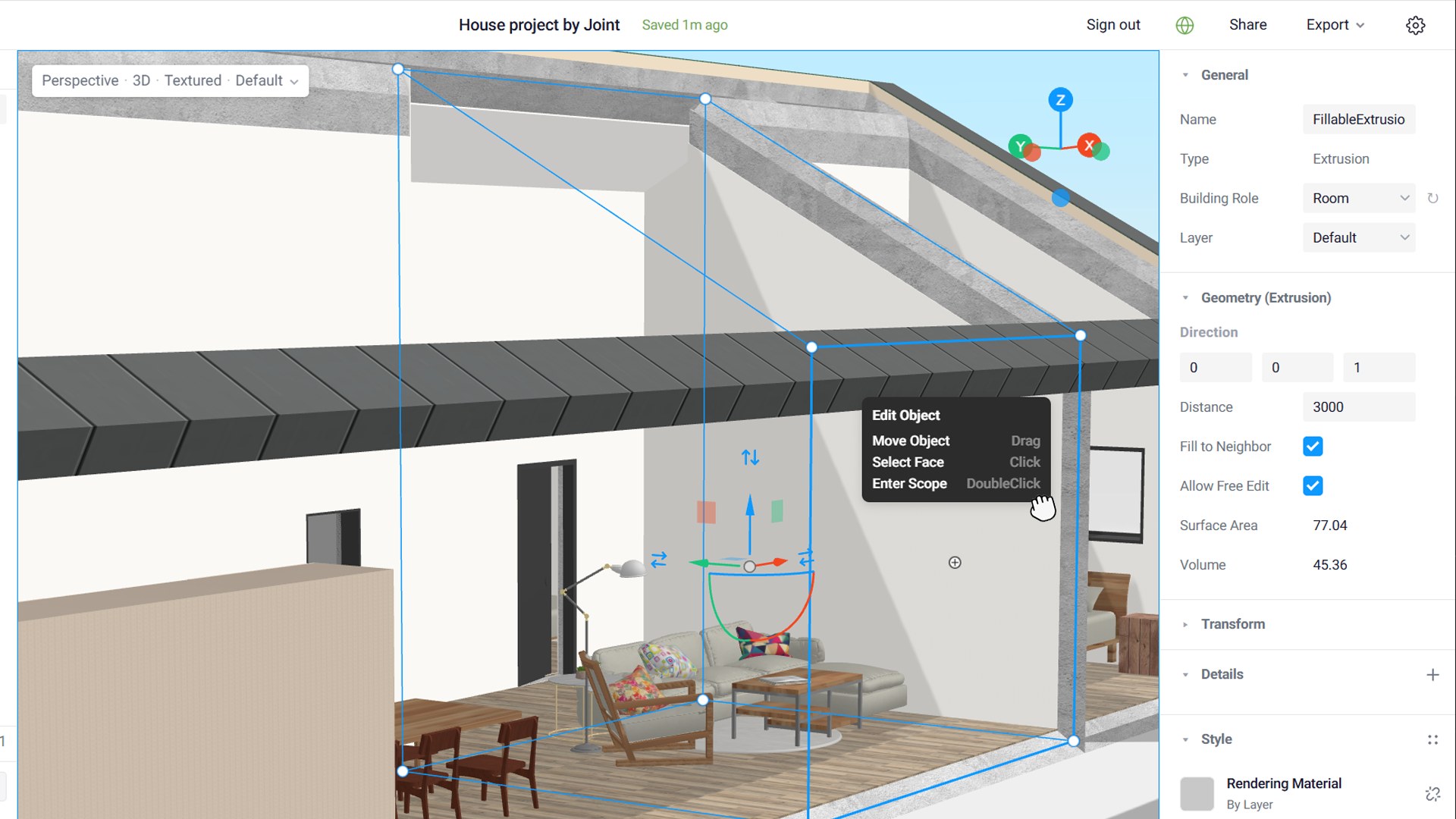
Your design changes.
The model re-adapts.
Stretch a room out of square, redraw its boundary — walls, finishes, even the furniture stay attached and re-place themselves.
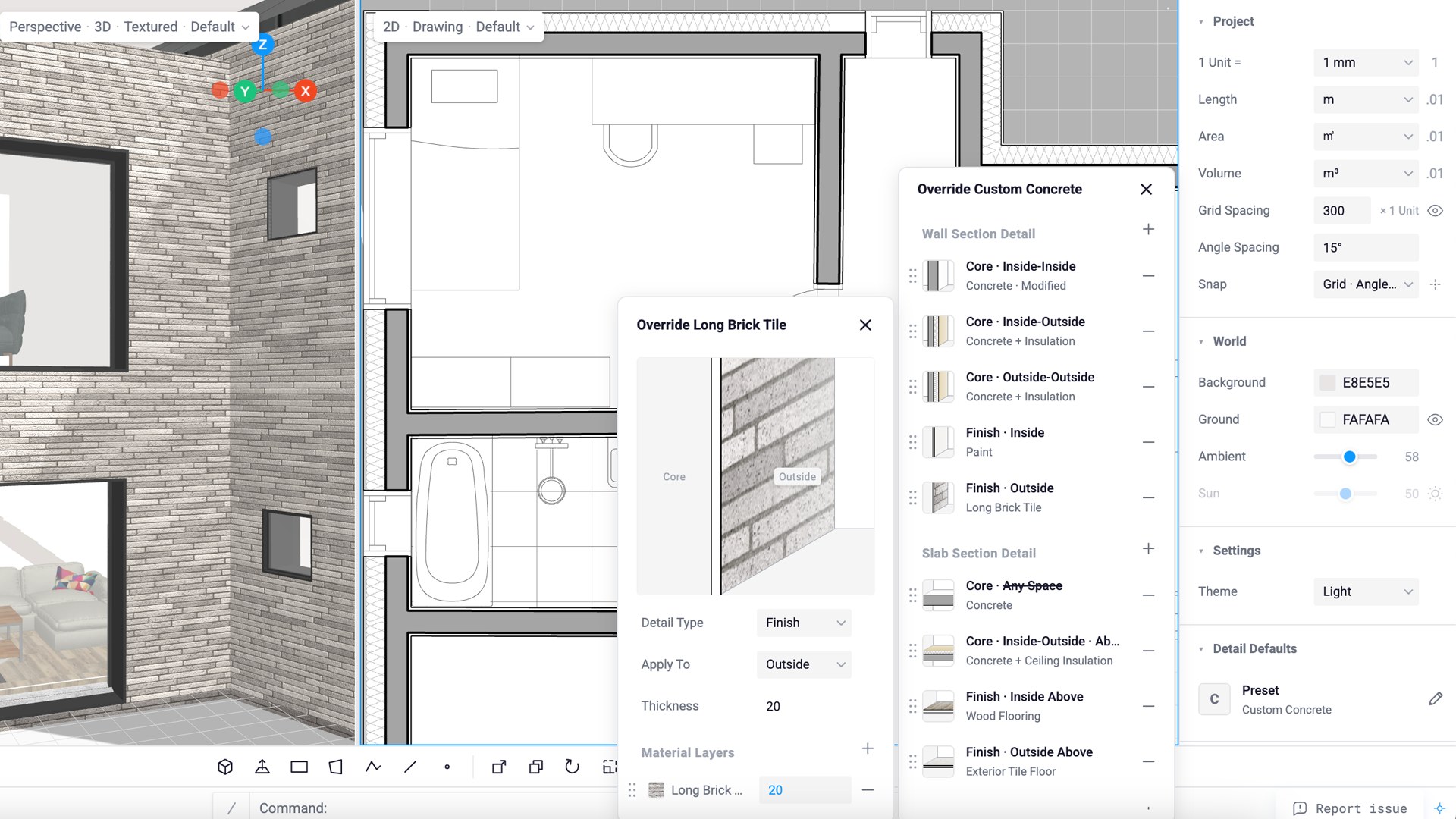
Fix the detail once.
Drawings follow.
Change an exterior finish and the same edit lands in the 3D view and the drawing set together — no export loop.
A 3D modeling tool for architectural design
Joint is a web-based 3D modeling tool for architects. Start with a simple shape or bring in a drawing. Explore building forms, compare design options, and share your model with clients through a link—all in your browser. There is no installation or desktop application to download.
Early design involves a lot of small changes. A room gets wider, a roof moves, a volume needs another look. Joint lets you draw, push and pull those shapes directly, with building elements and drawings connected to the model as you develop it.
Can I use Joint for simple massing studies?
Yes. Start with a box or a room, adjust its height and proportions, then add or reshape volumes. You can explore an architectural concept in 3D before working through the details of the building.
How do I get started if I am new to 3D modeling?
Start with one room or a simple mass. Joint is designed to make modeling easy to pick up through direct actions: draw a shape, pull a face, or enter an exact dimension. Short tutorials walk through these tasks, so you can learn the tools while making something useful.
Can I share a 3D model online?
Turn on sharing for a project and send its link. A client or colleague can open the shared model in a browser and look around it without installing modeling software. This is useful when a plan or a few screenshots do not explain the space clearly enough.
How are the model and drawings connected?
Joint generates building elements such as walls, slabs and roofs from the shapes you model. Plans, sections and elevations come from that same model, so you can move between a spatial idea and its drawings as the design develops.
What does BIM 2.0 mean to Joint?
We use BIM 2.0 to describe the direction we are building toward: architectural modeling that stays easy to change while keeping building elements and drawings connected. We want architects to be able to test an idea, revise it and share it without making every early design decision a long modeling task.
Where does AI fit into the modeling process?
You can describe a room and use AI to help furnish it with materials, furniture and openings. The result stays in the editable 3D model, where you can move things, adjust the layout and keep designing.